
The Factory Tile view provides a snapshot of all lines, color-coded by their current state and providing details of production metrics
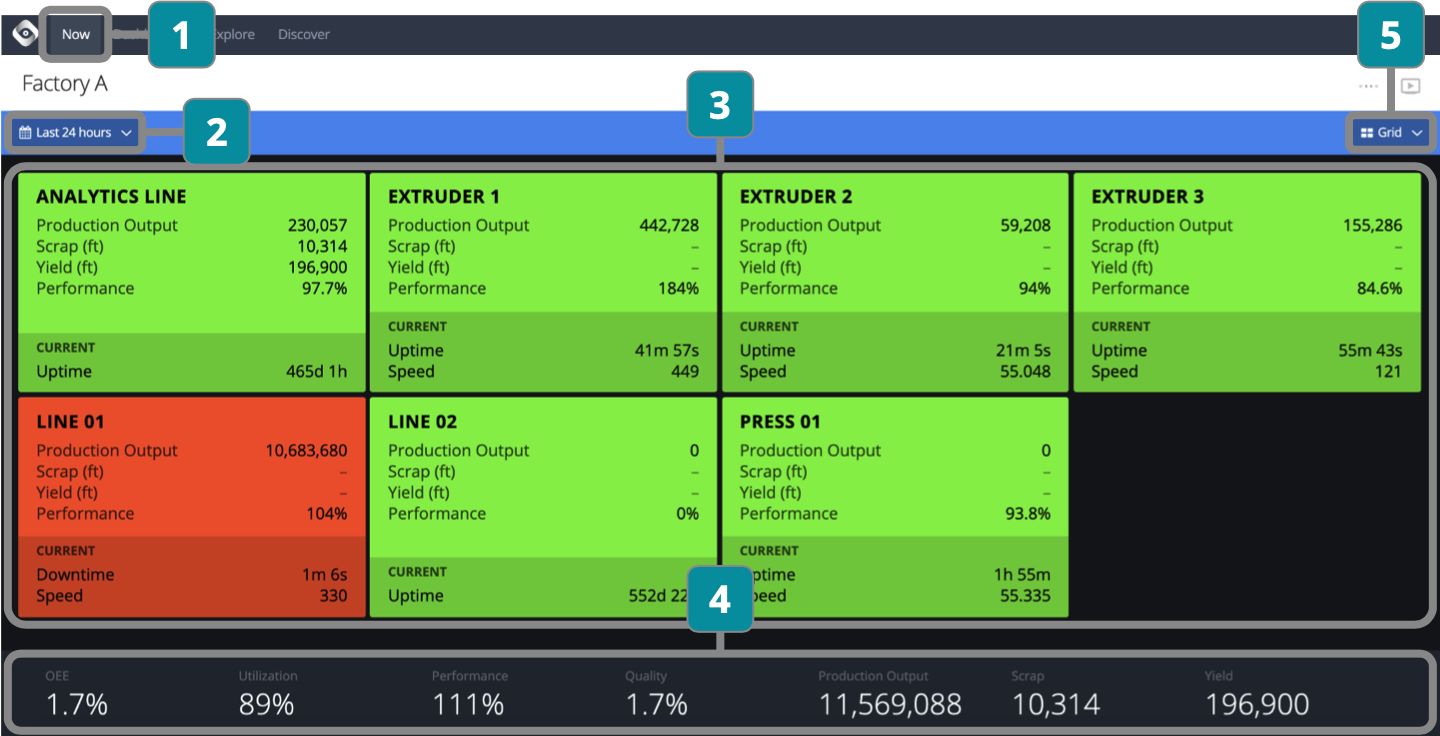
- Choose Factory
- Filter by time period
- Click into lines for detailed view
View high level metrics for each line
Color coding indicates the current state of each line - View aggregate KPIs adjusted for time period selected
- Switch to Line view