
Explore Search provides a graphical querying interface for building queries to answer your toughest questions.
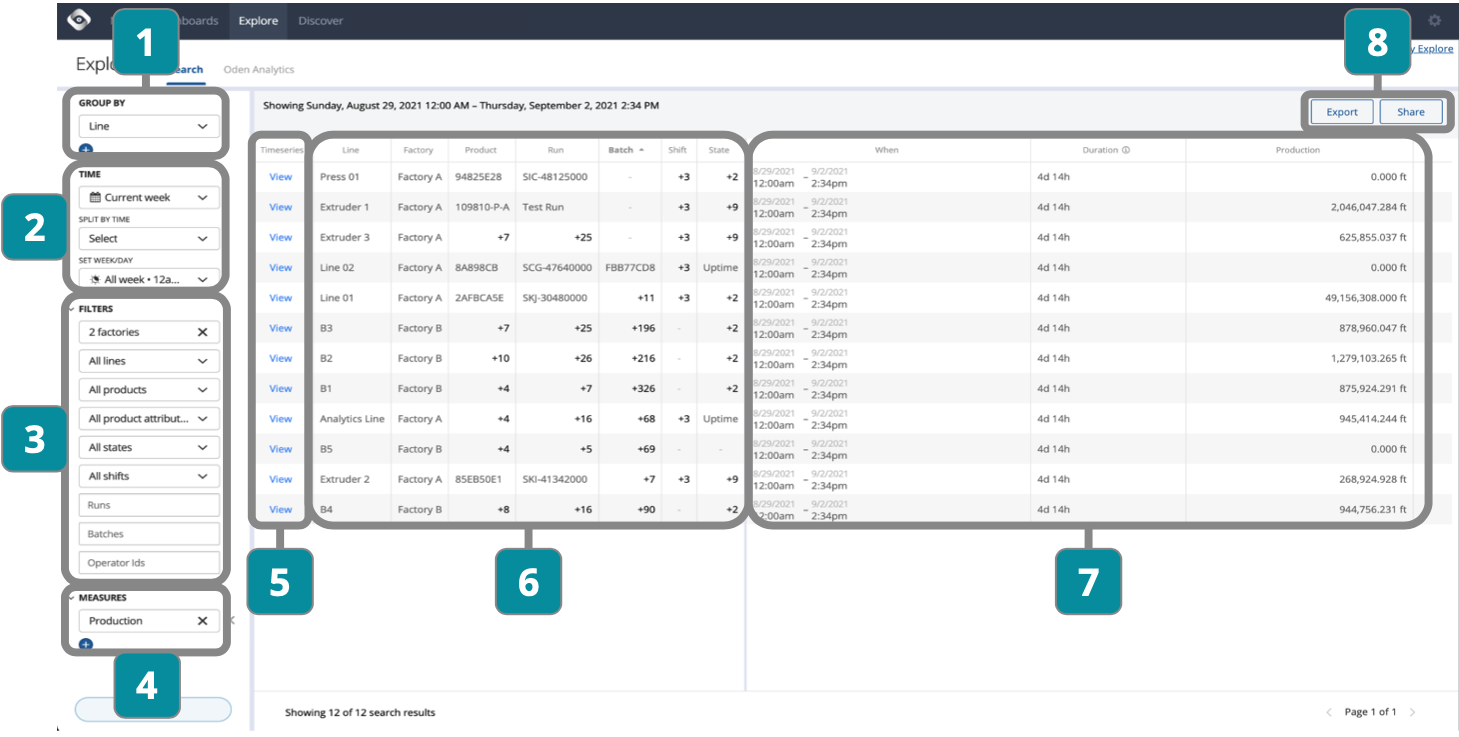
- Choose groupings
- Adjust time period
- Select filters
- Select KPIs and/or metrics to add
- View detailed timeseries metrics of grouping
- View and sort filter details
Click grouped numbers to drill down into individual results - View and sort timeframe and measurement details
- Export for offline analysis or share link within organization