How do I navigate Explore Timeseries?
The Explore Timeseries view enables investigation into process data with advanced analytical tools
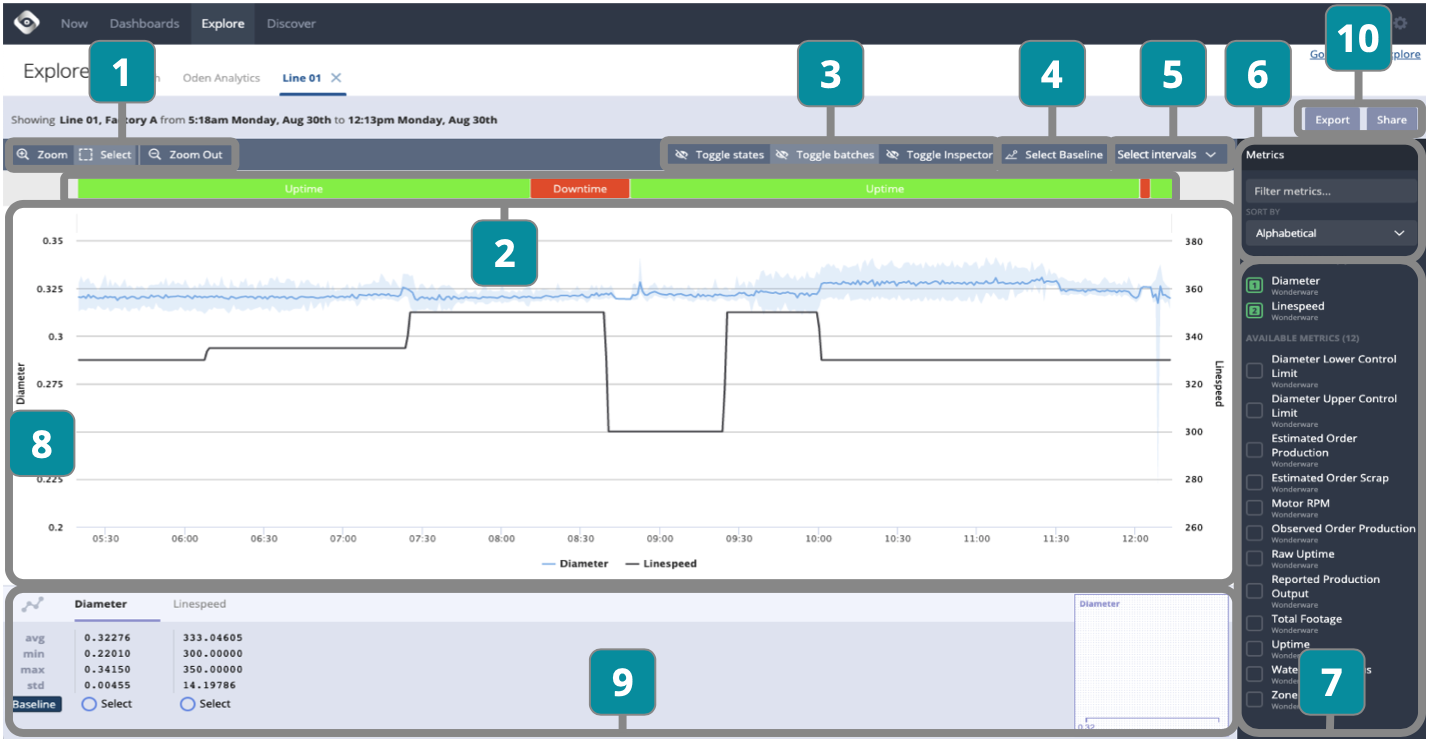
- Choose Zoom to alter time period or Select to highlight a time range and make an annotation or view statistical measures in Section 9
- View color coded State and selected Intervals
- Toggle to display Sections 2 and 9
- Select Baseline for separation score sorting in Sections 6 and 9
- Select Intervals to view in Section 2
- Filter and sort metrics by alphabetical or statistical measures (minimum data required for prioritized metrics)
- Select the metrics to display and compare
- View metrics selected and click to Zoom or Annotate
- View details of selected metrics and choose to display Baseline for comparison (minimum data required for baseline comparison)
- Export for offline analysis or share link within organization